
01
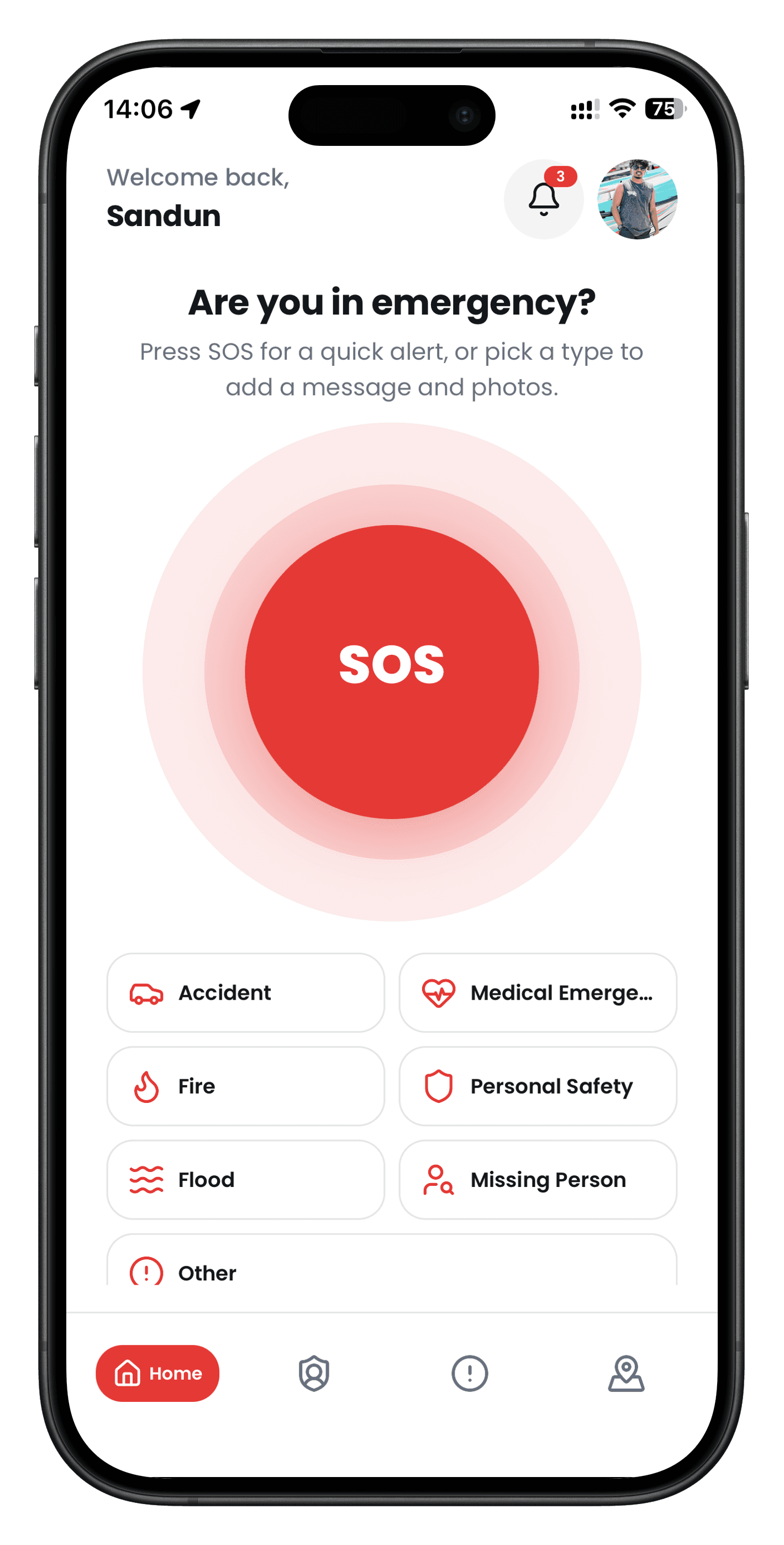
Press SOS
One button on Home. Send a quick alert, or pick a type like accident, medical, or personal safety.
Personal safety
Alert the people you trust. Share live location. Stay found until you are safe.
Free on iOS and Android. No special responder account.
SOS is the first thing you see.
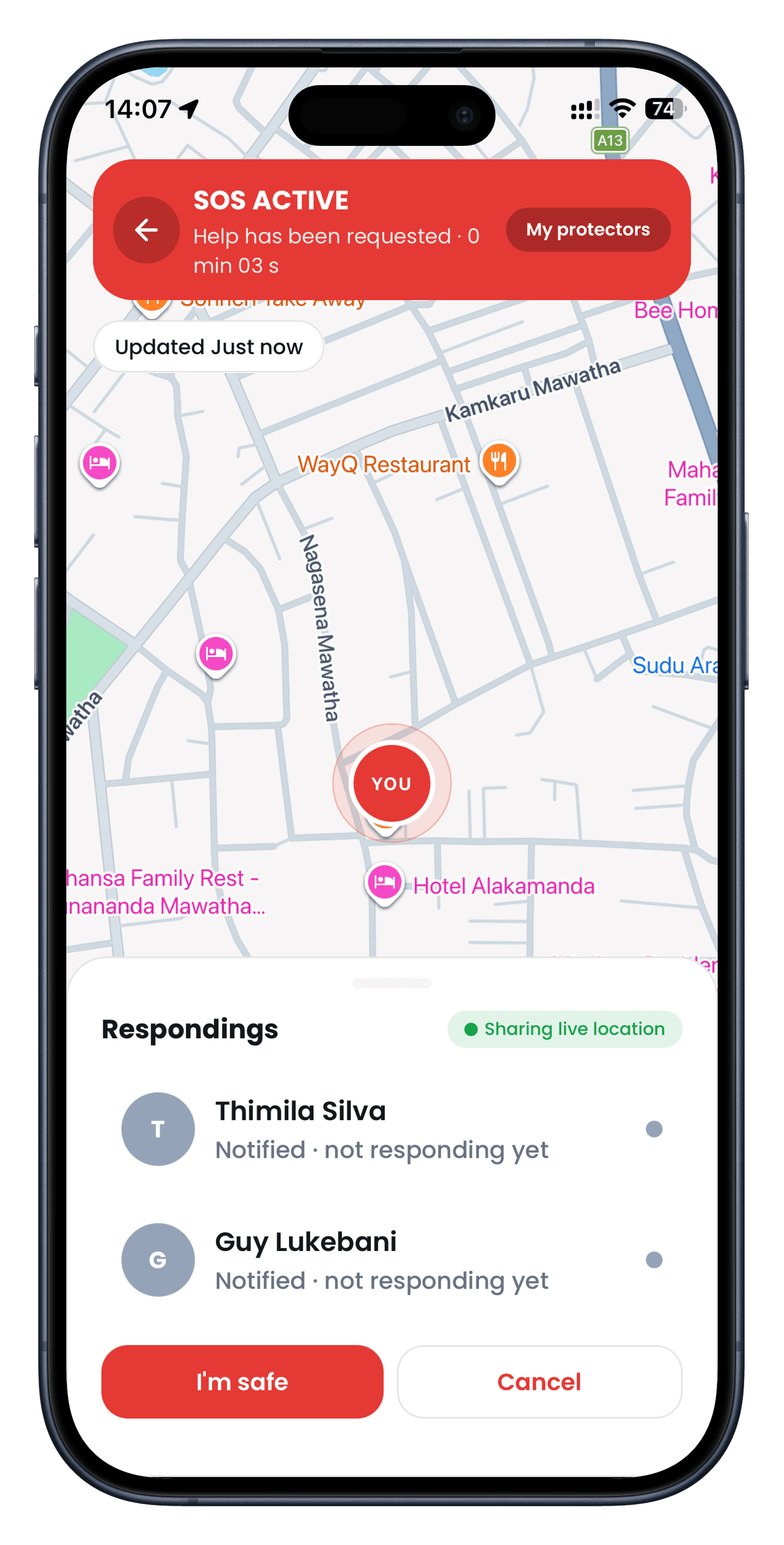
Your pin updates while the alert is open.
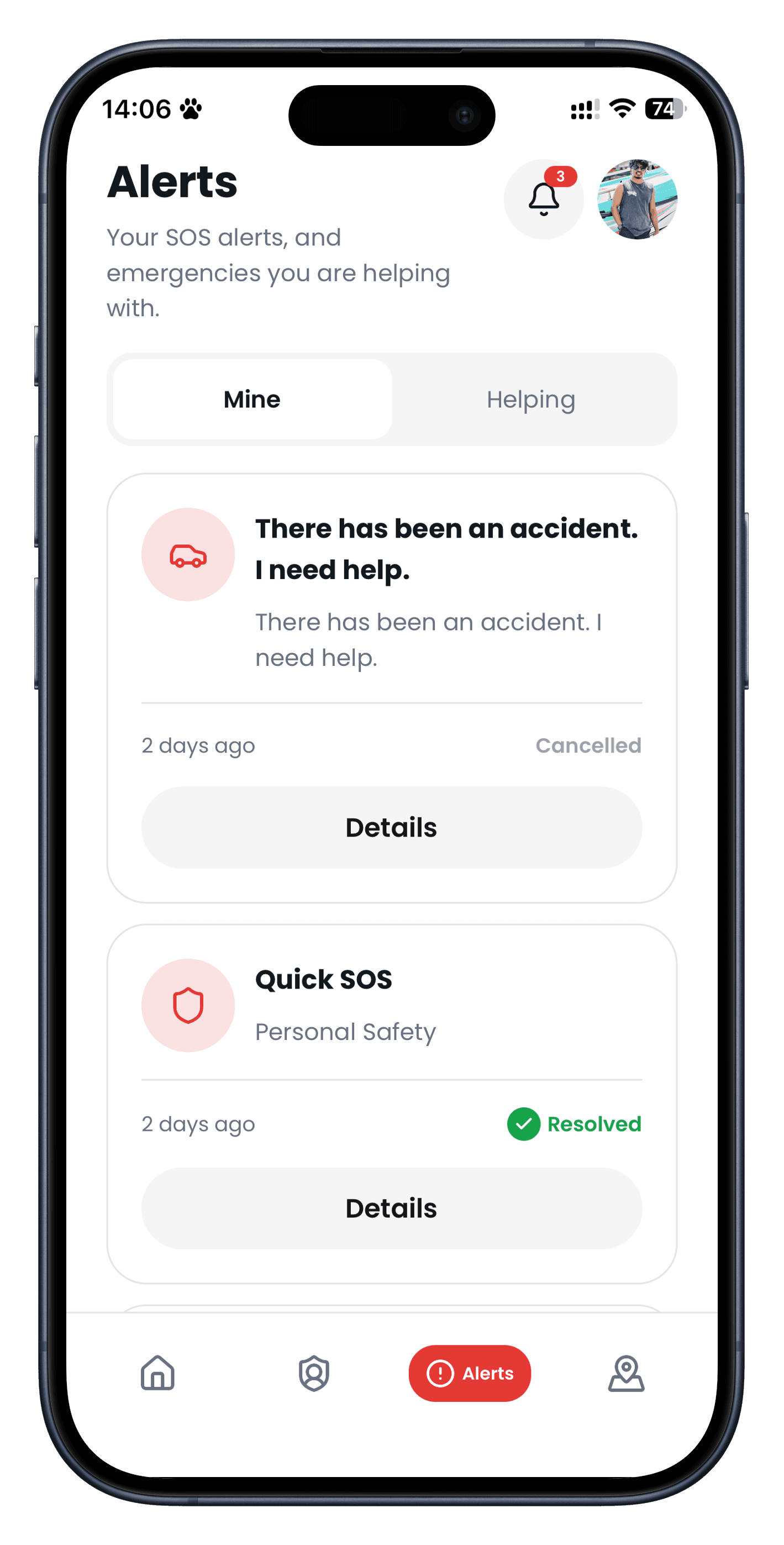
Open, resolved, or cancelled — clearly labelled.
See who was notified and who is coming.
How it works
01
One button on Home. Send a quick alert, or pick a type like accident, medical, or personal safety.
02
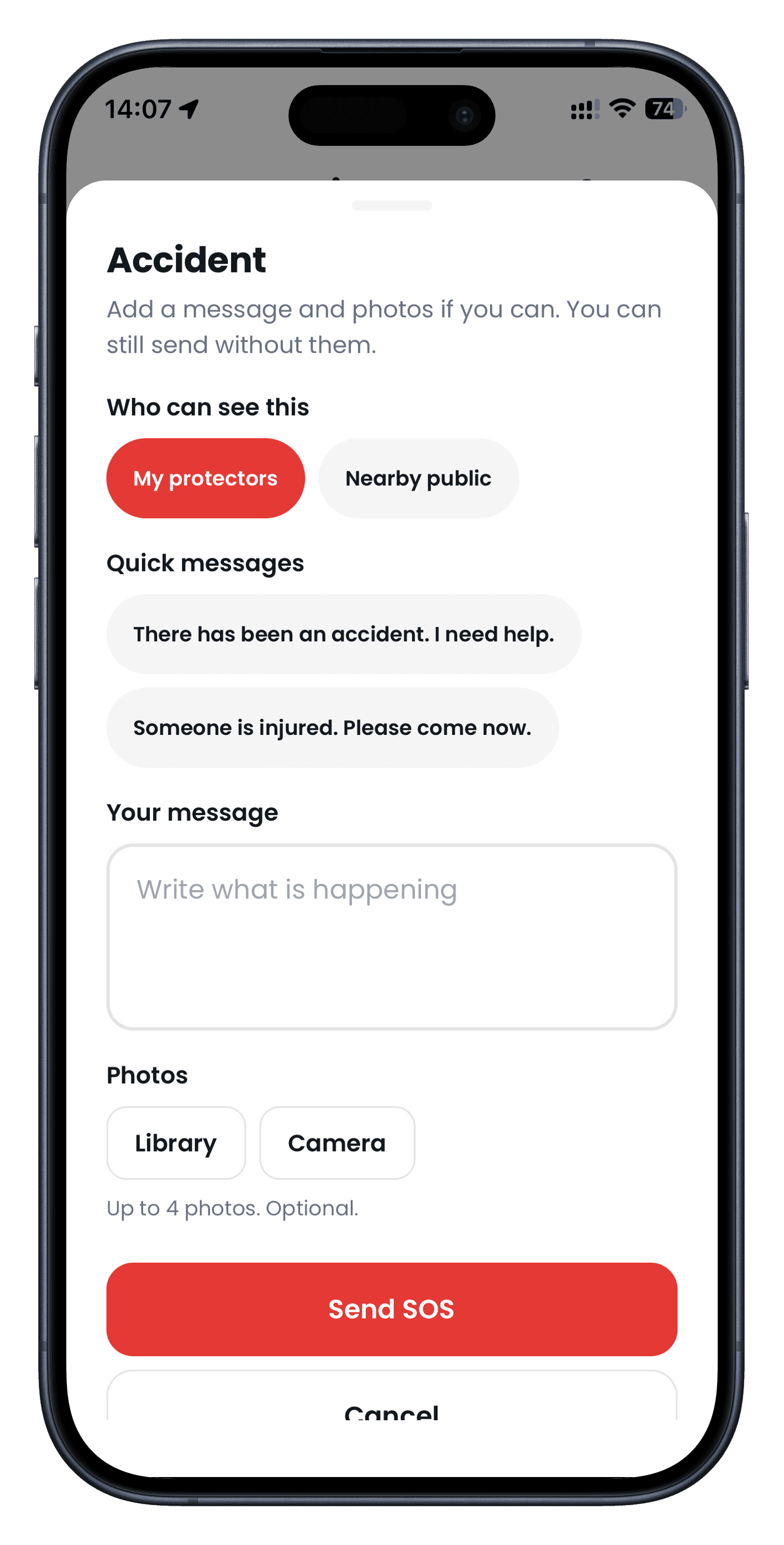
Choose who can see it, tap a quick message, attach photos, then send. You can still send without them.
03
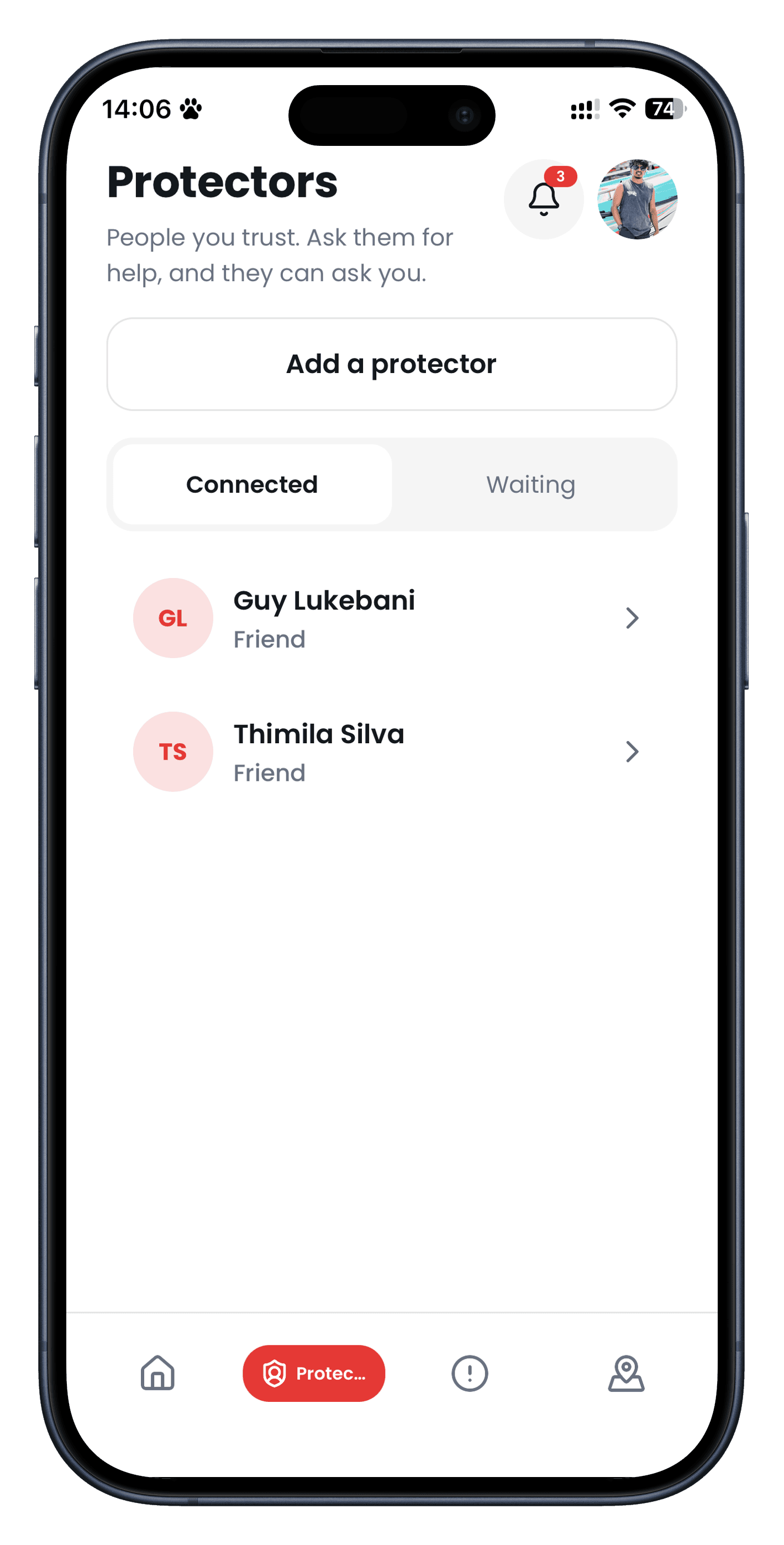
Add protectors by phone or QR. They can ask you for help too.
04
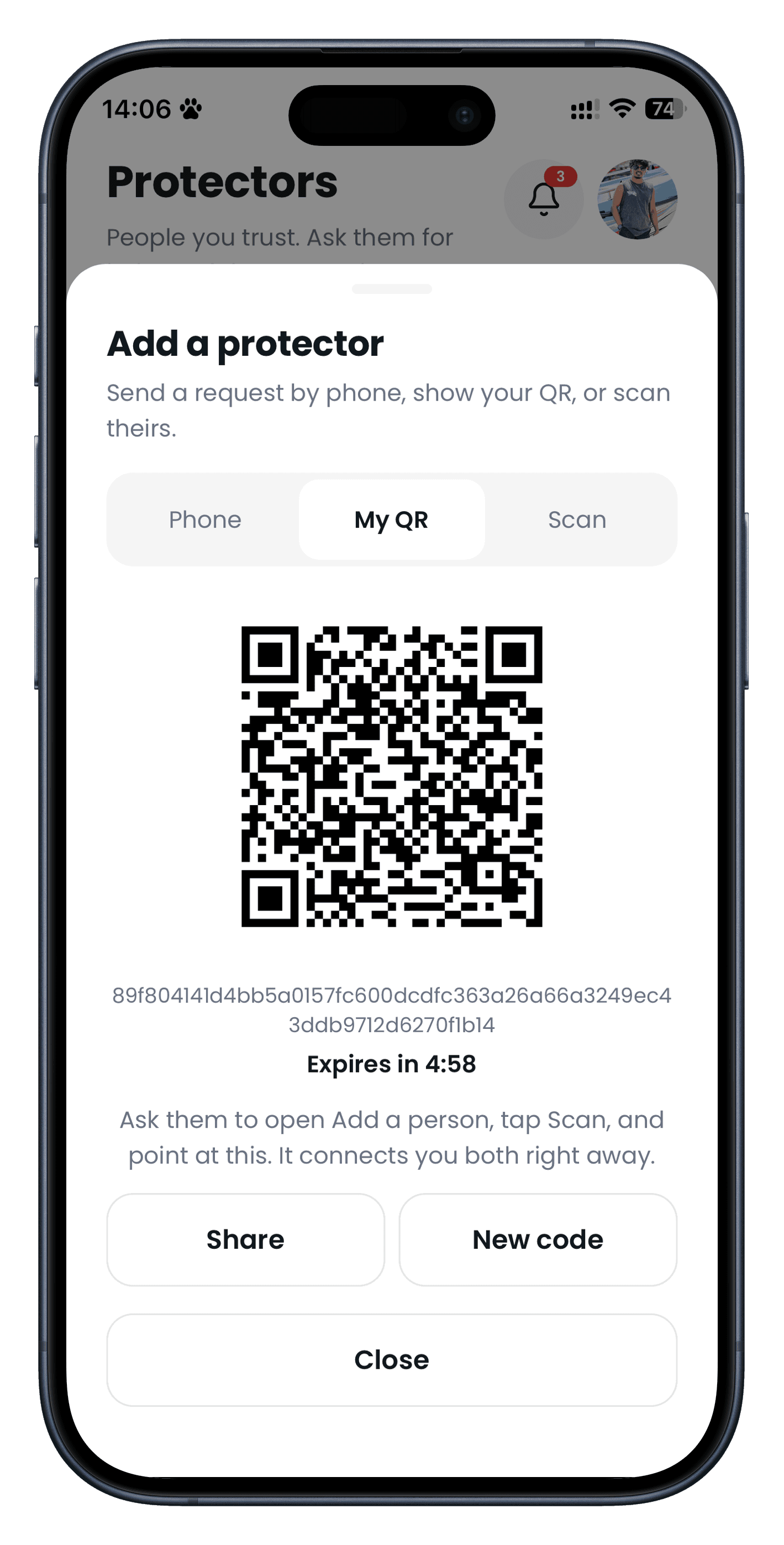
Show your QR. It expires in minutes, so only the person in front of you can connect.
05
SOS stays on the map. You see who was notified, that location is sharing, and you can mark I’m safe.
06
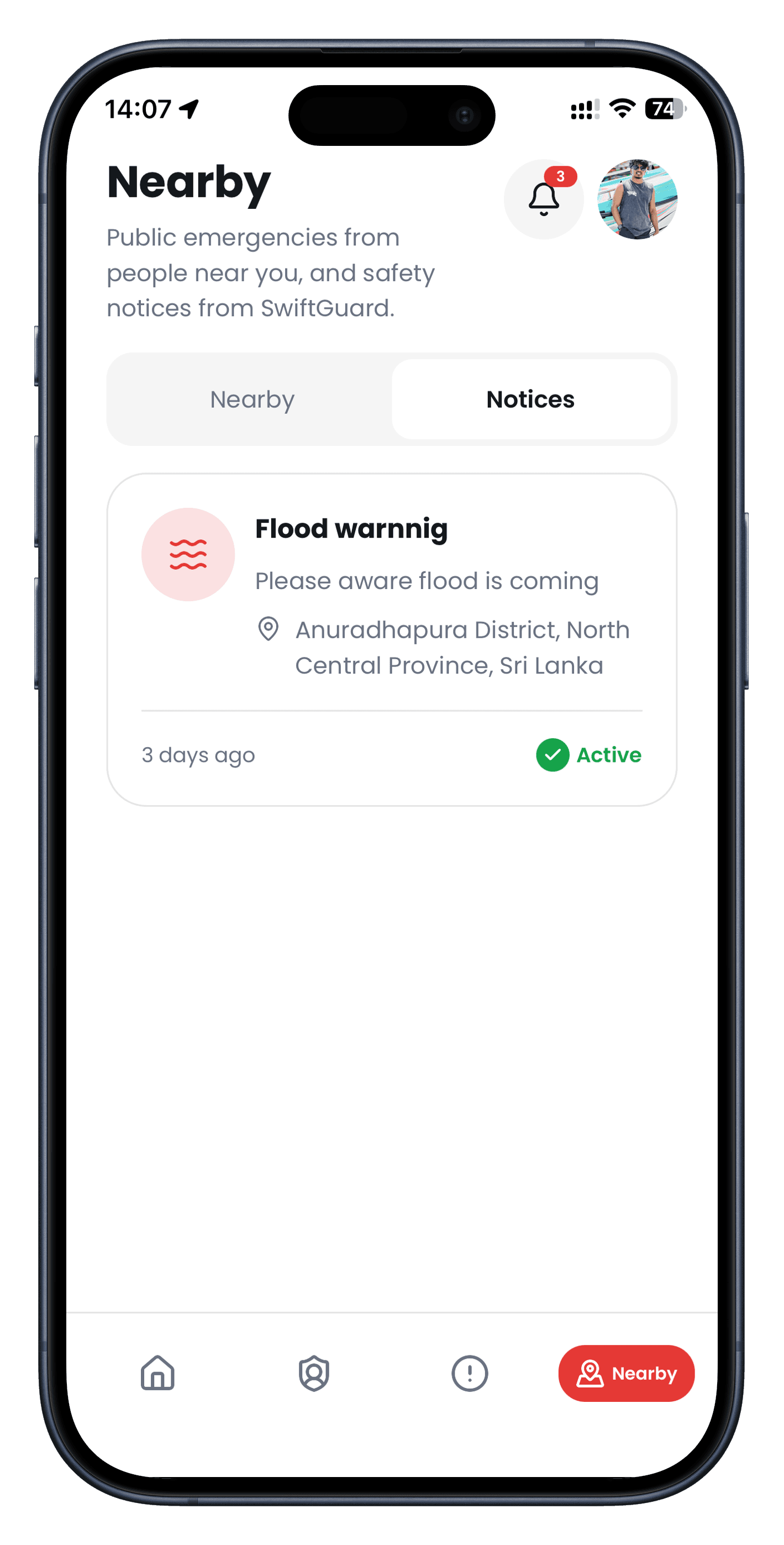
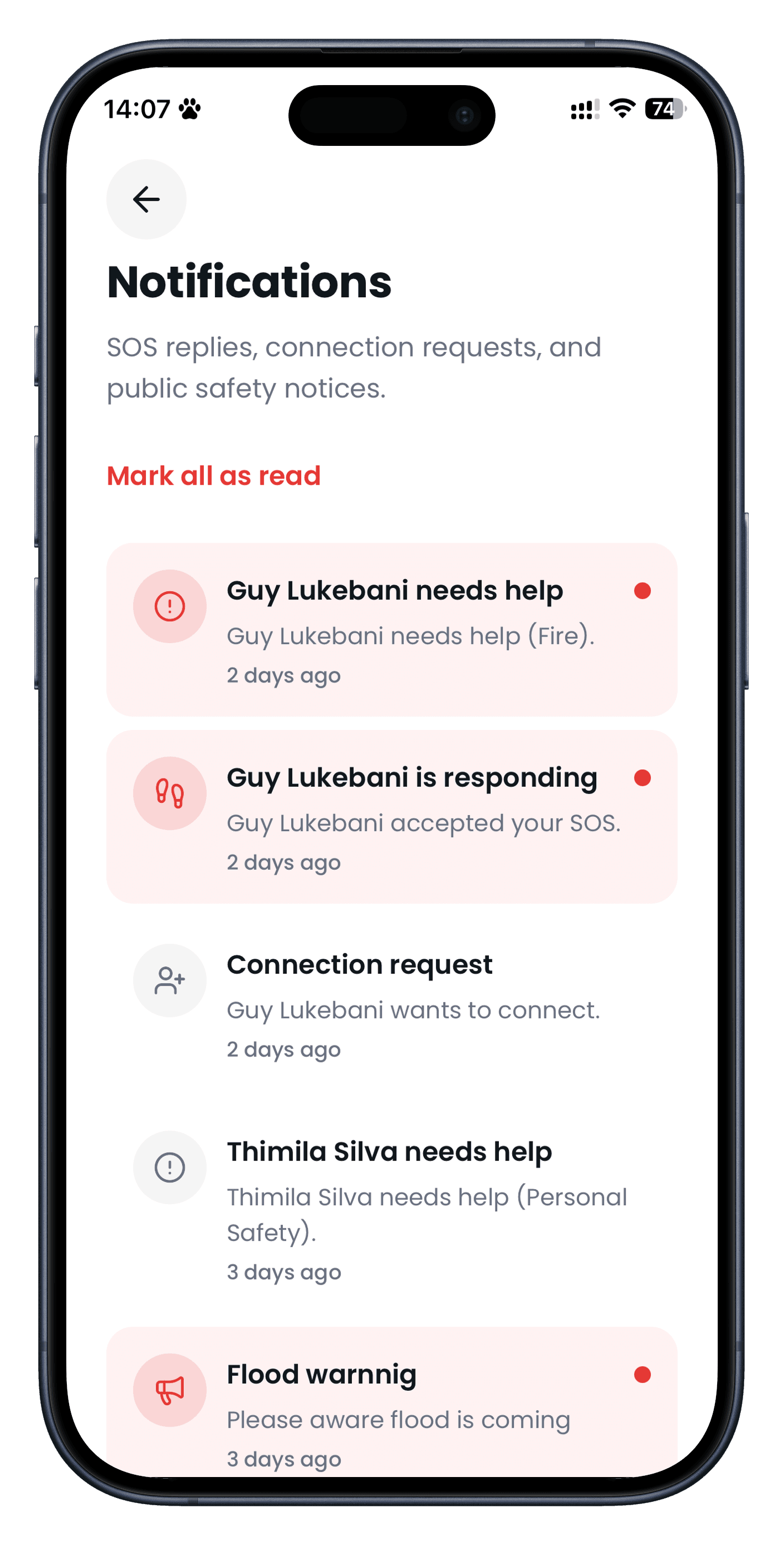
Your alerts, public notices near you, and SOS replies stay in one place.
About
SwiftGuard is a personal safety app. If you need help, you send SOS so My protectors — and nearby public, if you choose — can come to you. Every person is a SwiftGuard user. You can ask for help today and help someone else tomorrow.
Family and friends you connect with. They see your private SOS and can find you.
A private alert stays with people you trust. A public SOS hides your phone and medical details.
Live location updates while the alert is open. You can mark I’m safe when it is over.
Contact us
We read every note. For account or safety questions, email is the fastest path.